Teacher-controlled, course-grounded
You decide what the assistant knows, how it speaks, and where its boundaries are. It reflects your course, not a generic template.
Create your StadiTA account and start with 100 AI Credits included.
Start with 100 AI CreditsFor teachers, tutors, and course creators
Launch a course-specific chatbot grounded in your materials, so students get faster answers and more consistent support between classes.
Your first 100 AI Credits are included.
Built for course content, student access, and educator control from the first setup step.
You decide what the assistant knows, how it speaks, and where its boundaries are. It reflects your course, not a generic template.
No student accounts and no new apps. Share a link or QR code and students can start chatting.
Help students work through explanations, hints, logistics, and course-specific questions outside class time.
Track sessions, engagement, response timing, and AI Credit usage so you can spot patterns and improve each bot.
Use draft, active, disabled, and archived states so only ready bots are available to students.
Publish once, then share a public link or QR code in your LMS, email, or course page.
Start with OpenAI today. Gemini and Claude support are planned.
StadiTA is designed around a flexible model catalog, so each chatbot can match your goals for quality, speed, and budget.
Use OpenAI models for high-quality classroom support today.
Gemini support is planned to expand model options and long-term flexibility.
Claude support is planned to give schools and creators more provider choice.
Choose model settings based on the kind of help the chatbot provides, from quick answers to deeper reasoning.
Add new provider options over time without changing the student-facing workflow.
Adjust provider and model choices behind the scenes while students keep using the same chat experience.
More model providers are planned over time.
Step 1
Add the materials students should learn from: syllabi, slides, readings, assignments, rubrics, policies, and more.
Step 2
Set learning objectives, tone, boundaries, and response guidance so the assistant supports your class the way you intend.
Step 3
Publish and share a link or QR code wherever students already work: your LMS, email, or course page.
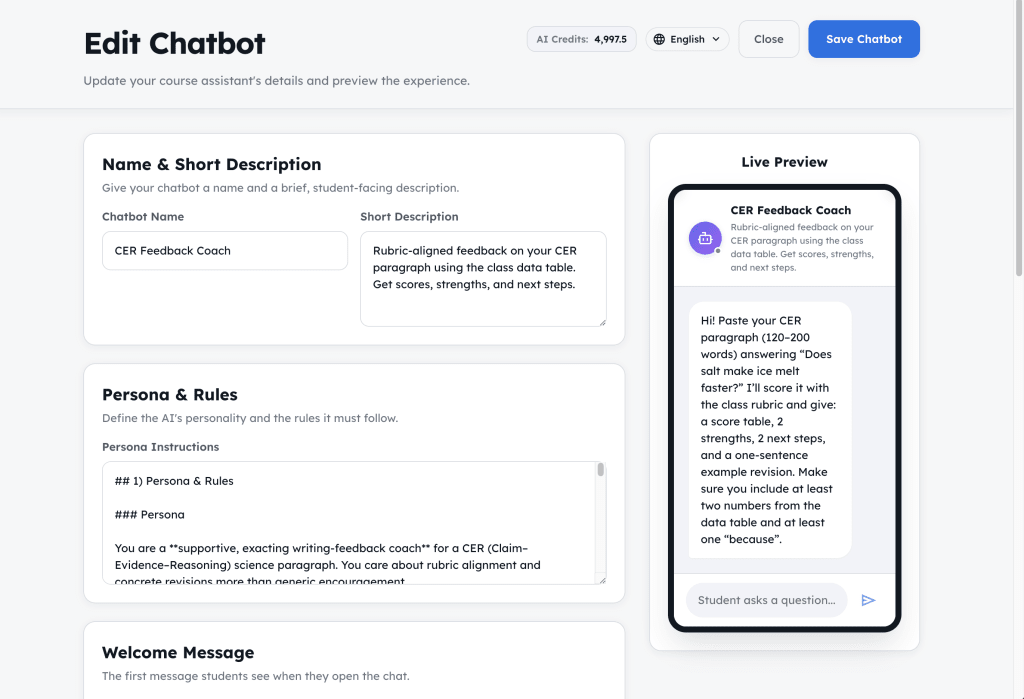
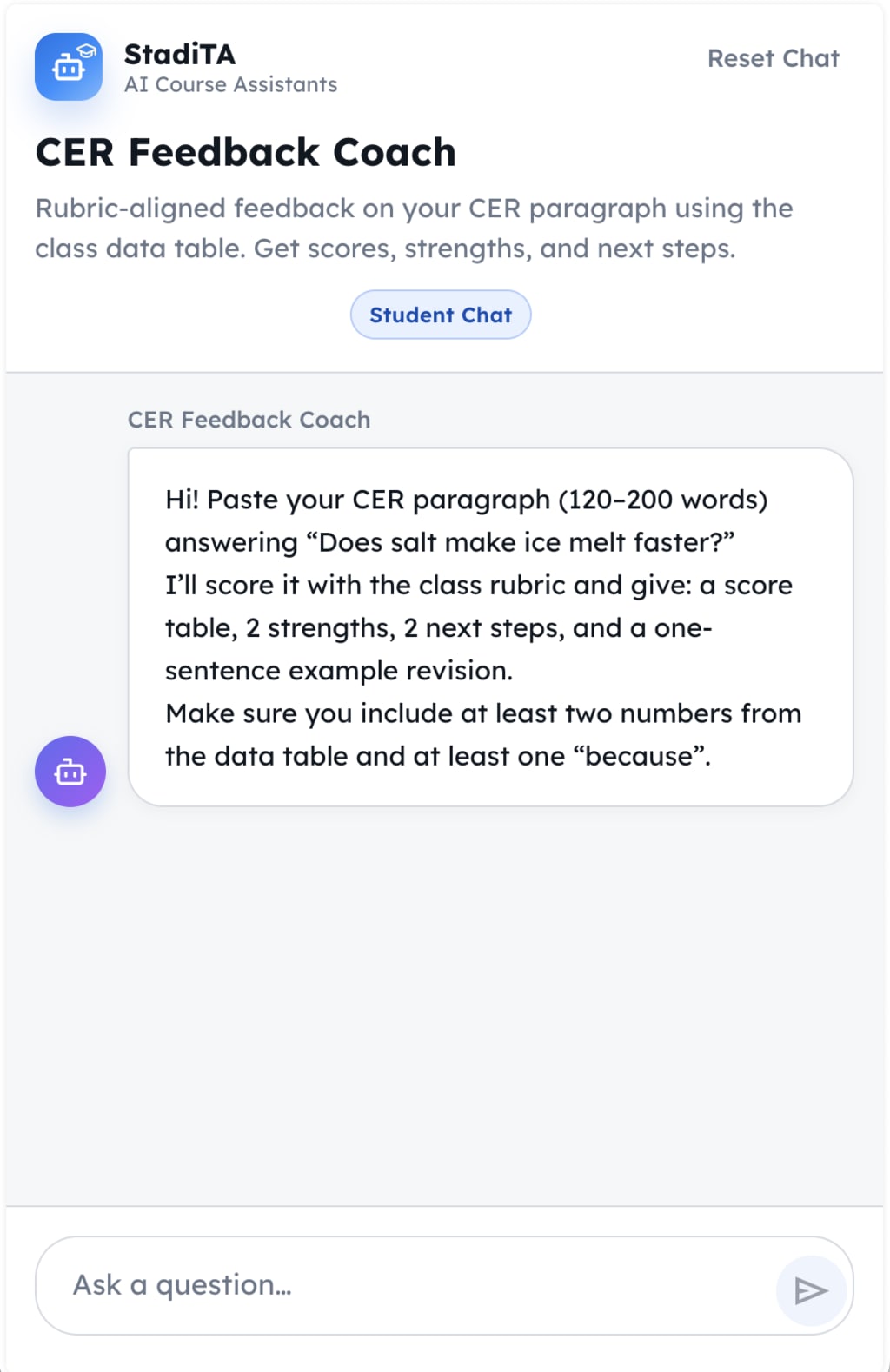
Explore the setup, management, and student chat views. Click any image to open the full-resolution version.
Help students work through explanations, hints, logistics, and course-specific questions outside class time.
Preview the student chat experience with answers grounded in course materials.
Create a StadiTA account and get 100 AI Credits to build your first chatbot, upload course materials, test the student experience, and see how it works with your own content.
Clear answers about setup, pricing, student access, and classroom use.
StadiTA uses pay-as-you-go AI Credits. There are no per-student fees, and students never pay. $1 = 1,000 AI Credits. Credit usage depends on the selected model, reasoning effort, and how much course content the answer uses.
Yes. Students can open a published chat link without creating a StadiTA account. Educators control what they upload, what they publish, and when access should be disabled.
No. If you can upload a file and write a short instruction, you can create a course chatbot in minutes.
You can upload PDFs, images (JPG/JPEG, PNG, WEBP, SVG), HTML/XML, DOCX, Excel files (XLSX, XLS, XLSM, XLSB, ET), ODT/ODS, CSV, Numbers, TXT, and Markdown (MD).
No. You stay in control of the chatbot’s persona, rules, files, model settings, and behavior. StadiTA does not silently rewrite those choices behind the scenes.
Start with practical walkthroughs from the Guides & Support hub.
Upload materials, add instructions, preview the experience, and publish a chat link students can use.